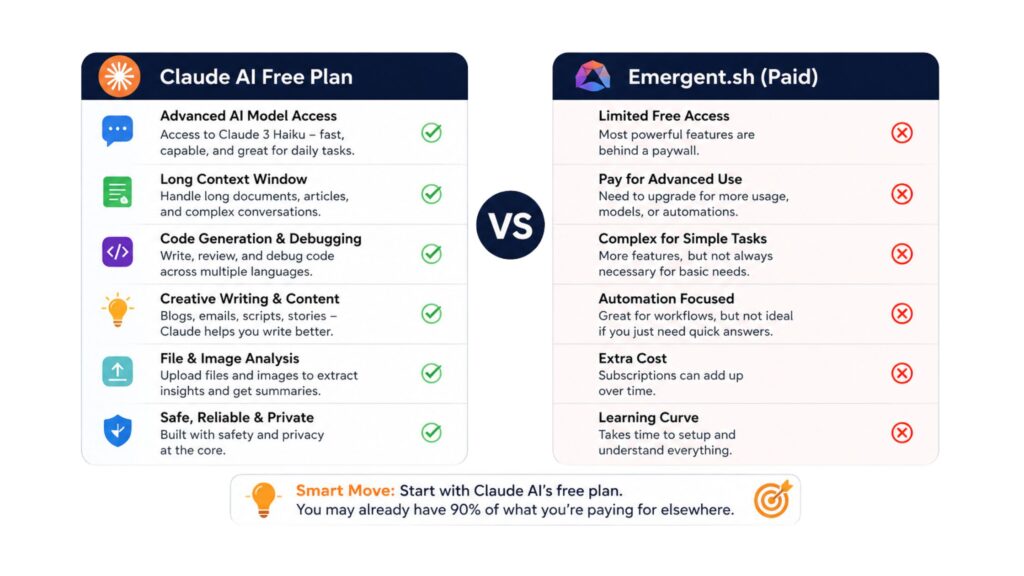
What is the Claude AI assistant?
Claude is an AI assistant from Anthropic that helps you write, code, analyze documents and research topics through a simple chat. You can use it free at claude.ai, in the desktop and mobile apps, or through an API if you build software.
Updated October 2026 for the Claude 5.5 models and current plans.
The short version
- What it is: a general-purpose AI assistant made by Anthropic, a safety-focused AI company founded in 2021.
- Best at: writing, coding, reading long documents and working through problems step by step.
- Free? Yes. The free plan at claude.ai needs no card; paid plans start at $20 a month.
- Where it runs: web, desktop and mobile apps, plus an API for developers.
Unlike a search engine, Claude does not hand you a list of links. You describe the task in plain language, add context or files, and it replies with a draft, an explanation, code or an analysis you can refine with follow-up messages.
It works with text, images and uploaded files such as PDFs and spreadsheets. With web search turned on, it can also pull in current information and show where it came from, which helps for market research and fast-moving topics. Like any AI model it can make mistakes, so check important facts before you rely on them.
What can Claude do?
| Use | What Claude does | Try this prompt |
|---|---|---|
| Writing | Drafts blog posts, emails and product copy, and edits your draft for clarity and tone. Give it samples of your writing to match your voice. | Tighten this draft to 600 words and keep my tone. |
| Coding | Writes code from plain English, finds bugs, refactors old code and explains unfamiliar code line by line. | Why does this function return None? Explain the cause, then fix it. |
| Research | Summarizes long documents, compares sources, and with web search on, answers with cited, current information. | Compare these three reports and list where they disagree. |
| Learning | Explains a topic at your level, quizzes you and goes deeper when you ask follow-ups. | Explain how machine learning works as if I’m a beginner, then quiz me. |
| Files and data | Reads PDFs, spreadsheets and images, pulls out key points and drafts formulas or summaries. | Summarize this spreadsheet and flag anything unusual. |
Two habits improve every result: say who the output is for, and paste the context Claude needs, such as the draft, the error message or the document. If the first answer misses, reply with what to change instead of starting over.
Which Claude model should you use?
Claude comes in a family of models. Anthropic shipped Fable 5.1 on September 1, Opus 5.5 on September 22, Sonnet 5.5 on September 28 and Haiku 5.5 on October 7, 2026.
| Model | Best for | Pick it when |
|---|---|---|
| Sonnet 5.5 | Everyday writing, documents, spreadsheets, bug fixes | You want fast, capable answers. It is the default model for free users. |
| Opus 5.5 | Complex work that needs careful judgment | The task is long, open-ended or high stakes. |
| Haiku 5.5 | High-volume, low-cost, fast tasks | You are a developer running many small requests. |
| Fable 5.1 | Anthropic’s top-tier model for the hardest work | You need the most capable option and accept higher cost. |
For most people, Sonnet 5.5 is the right starting point. Switch to Opus 5.5 when an answer feels thin on a hard task. Which models you can pick depends on your plan, so check the model menu in the app.
Is Claude free? Plans and pricing
Yes. Claude has a free plan at claude.ai with no payment needed, and paid plans start at $20 a month. Prices below are in US dollars and were checked in mid-2026; confirm them at claude.com/pricing before you subscribe.
| Plan | Price | Best for |
|---|---|---|
| Free | $0 | Trying Claude and everyday tasks, with limited usage |
| Pro | $20 a month, or about $17 a month billed yearly | Daily use by one person |
| Max 5x | $100 a month | Heavy users who often hit Pro limits |
| Max 20x | $200 a month | Daily intensive use, including heavy Claude Code work |
| Team | $25 a seat a month (Standard) or $125 (Premium), minimum 5 seats | Groups that need admin controls and shared billing |
| Enterprise | Custom | Large organizations with security and compliance needs |
What the free plan includes. Chat on the web, desktop and mobile apps with limited daily usage, which is enough to judge whether Claude suits your work. It does not include Claude Code or the Research feature.
When to upgrade. Move to Pro when you hit the free limit regularly. Move to Max only when you routinely run out of Pro usage; reviewers commonly suggest trying Pro for a month first.
Claude Code, the coding tool, is included on paid plans and shares your plan’s usage allowance.
Claude vs ChatGPT vs Gemini
All three are strong general assistants, and the best one depends on your work. This is our editorial view, so test each on a real task of yours.
| Claude | ChatGPT | Gemini | |
|---|---|---|---|
| Maker | Anthropic | OpenAI | |
| Where it stands out | Writing, long documents, careful step-by-step reasoning, coding help | Broad feature set and a large ecosystem of integrations | Tight fit with Google apps and Android |
| Free plan | Yes | Yes | Yes |
| Pick it if | You write, code or analyze long documents often | You want one tool with the widest range of add-ons | You live in Gmail, Docs and Drive |
The fair way to choose: run the same three prompts in each tool, such as a real draft to edit, a bug to fix and a document to summarize, and keep the one whose answers you would use as written.
How to get started with Claude
- Go to claude.ai and sign up with your email or Google account.
- Start with a real task, such as a draft you need to edit or a document you need summarized, not a toy question.
- Add context: who the output is for, the tone you want and any files it should read.
- Reply with corrections instead of starting over. Claude keeps the thread of the conversation.
- Upgrade only if you keep hitting the free limit.
Verdict: is Claude worth using?
For writing, coding help and working through long documents, Claude is worth trying first, and the free plan lets you test it at no cost. It is a general assistant, not a replacement for your judgment: verify key facts, and keep a human in the loop for anything high stakes.
If you try it, tell us in the comments which task you tested and how it went.
Claude AI assistant FAQ
Is Claude AI free to use?
Yes. The free plan at claude.ai needs no payment and has limited daily usage. Paid plans start at $20 a month with Pro.
Who makes Claude?
Claude is made by Anthropic, an AI safety company founded in 2021.
What is the difference between Claude Pro and Max?
Pro is the $20 plan for daily use by one person. Max costs $100 or $200 a month and gives much more usage, which suits people who often hit Pro limits or use Claude Code heavily.
Which Claude model is the best?
There is no single best one. Sonnet 5.5 suits most everyday tasks, Opus 5.5 handles complex work that needs careful judgment, and Haiku 5.5 is built for fast, low-cost, high-volume use.
Can Claude search the web?
Yes, when web search is turned on it can look up current information and cite where it came from.
Can Claude read my files?
Yes. You can upload documents such as PDFs and spreadsheets, and images, and ask Claude to summarize or analyze them.